Titan HR — Lebanon & the region
Run HR, payroll, attendance, and leave from one employee record.
Every module reads the same record, so approvals, balances and payslips agree — and every payroll figure can be traced. English and Arabic.
- Nine modules, one employee record
- A calculation trace behind every payroll figure
- English and Arabic interfaces
- NSSF R6, MoF R10 and bank SIF exports
Three areas, one record
Every day
What employees and managers touch daily — from a phone.
Money
Configurable payroll with a trace behind every figure, and the exports that follow it.
Governance
Documents, review cycles and access — attached to the record, not to email.
Payroll you can check
Every figure opens into its steps.
Start from official rule packs, layer named company policies, simulate before publishing, then trace any figure afterwards. Rule packs that have not completed formal legal verification are flagged in the product.
Every day·People
One structured record per employee
Contracts, pay, IDs and documents on one profile.
- Departments, designations, reporting lines
- Compensation and contract history
- Payroll readiness per person
Search “Rima”, open her profile, check the permit expiry. Eleven seconds.
Every day·Employee App
Payslips, leave and check-in from a phone
Everyday requests without the admin system. Installs from the browser, no app store.
- Leave requests and payslips
- Documents and certificates
- Mobile check-in
Hani checks his payslip on the bus. HR never hears about it.
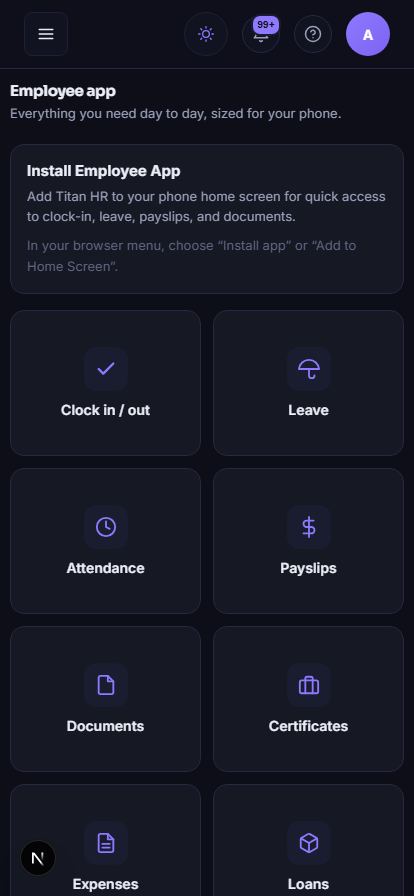 The employee app — clock in, leave, payslips, documents, from any phone. Real product, demonstration data.
Every day·Attendance
Attendance that connects to payroll
Daily summaries a manager approves — only approved days reach payroll.
- Mobile and device check-in
- Exceptions surfaced daily
- Approved summaries flow into payroll
A missed clock-out becomes a correction request — not a hallway conversation.
Every day·Leave
Leave that deducts itself
Requests against visible balances; approvals with the calendar in view.
- Entitlement, accrual, carry-over as policy
- Balances deduct on approval
- Requests with status history
Karim sees who’s already away before approving — no accidental double absence.
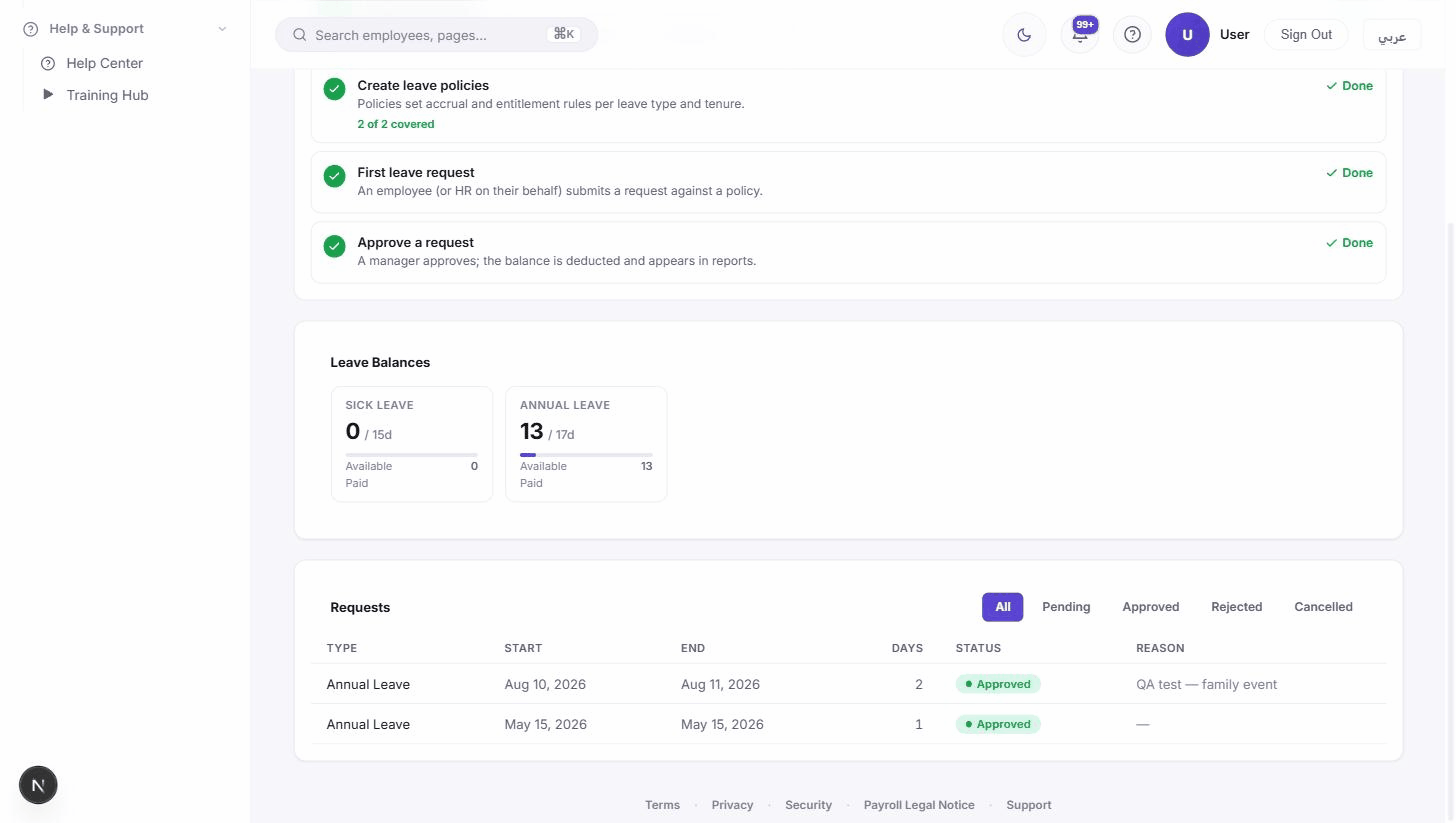 Leave — balances, requests and approvals in one view. Real product, demonstration data.
Money·Payroll
Payroll you can check, figure by figure.
Official rule packs, named company policies, simulation before publishing — and a trace behind every figure.
- PolicyAn official rule pack, plus named company overrides.
- SimulateSee the impact on the whole workforce before anything is published.
- TraceEvery figure keeps the steps that produced it.
Run lifecycle
A manager questions one deduction. The trace answers it in under a minute.
Statutory rules that have not completed formal legal verification are flagged inside the product, so the review status of every number is visible.
Governance·Documents
Expiry you see coming
Every document per employee, with expiry status and version history.
- Expiry surfaced before it lapses
- Required-document checks
- Missing items become tasks
The permit that expires in March surfaces in January — not during the inspection.
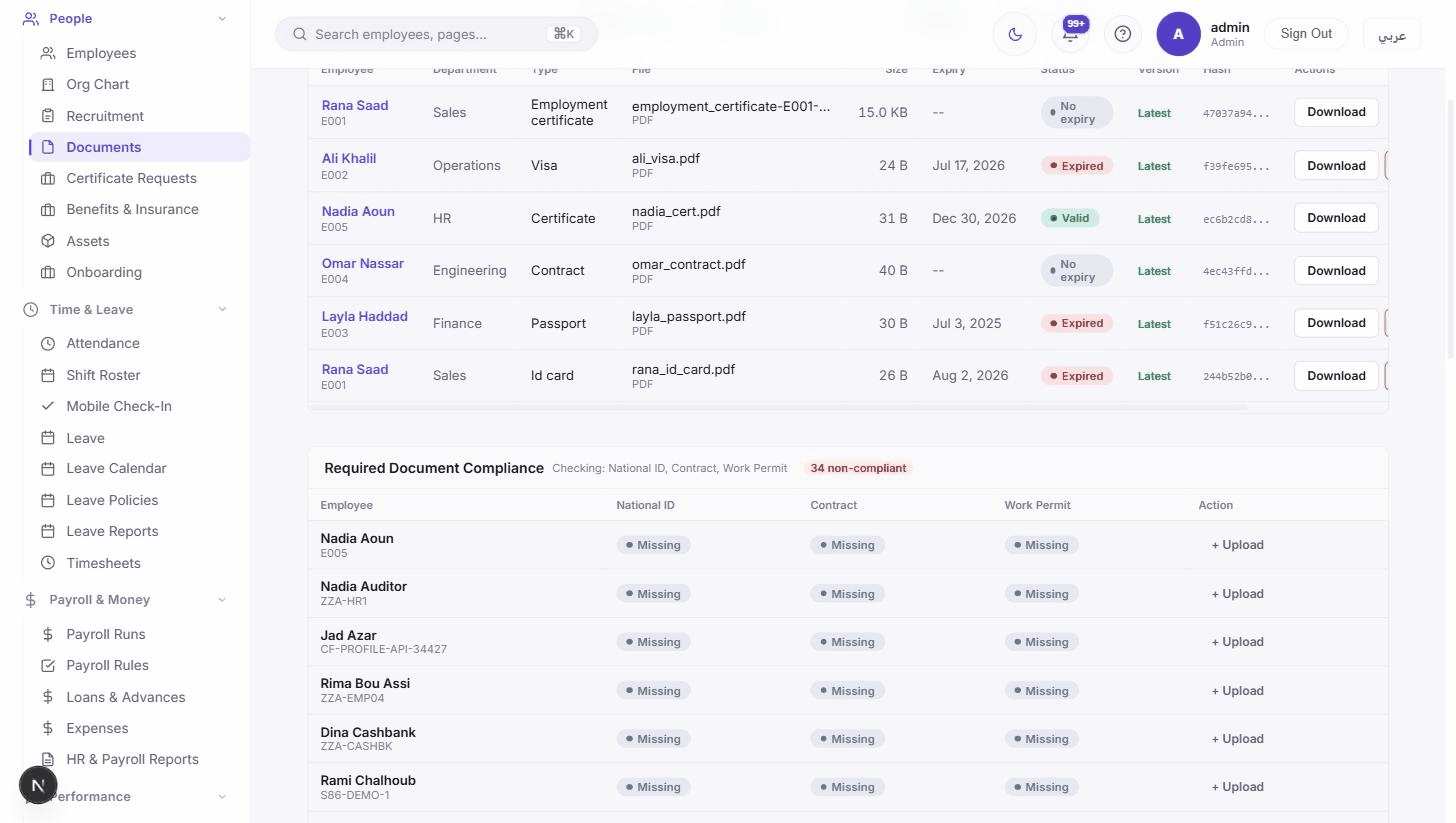 Documents — expiry status per employee, versions kept. Real product, demonstration data.
Governance·Performance
Review cycles that finish
Cycles and templates defined once; employee, manager and HR each see their own view.
- Cycles with visible progress
- Self, manager and HR perspectives
- History on the employee record
Nobody asks “which form?” — the cycle already knows who reviews whom.
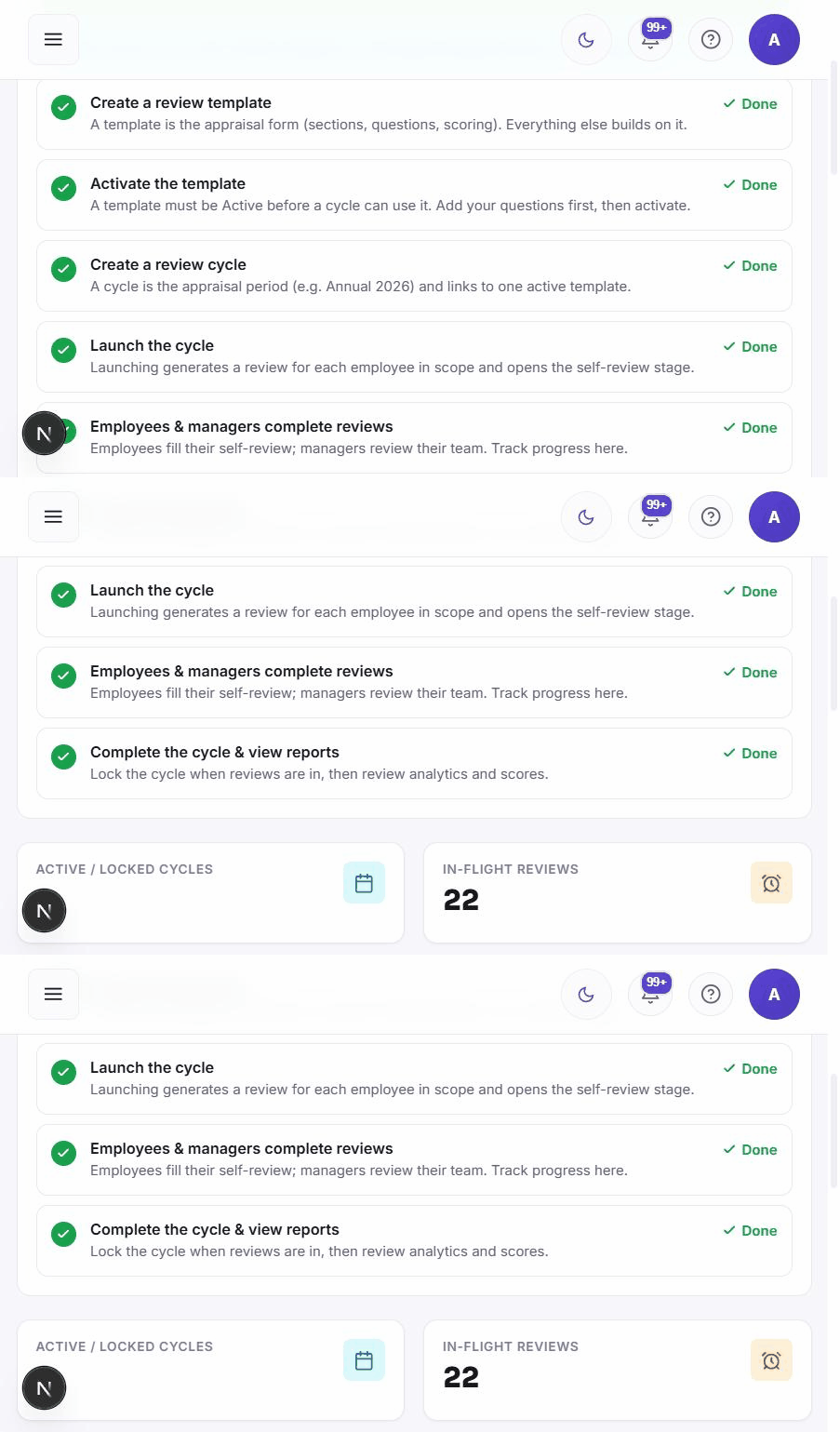 Performance — a review cycle with progress per reviewer. Real product, demonstration data.
Money·Reports
Statutory exports from a posted run
Register, NSSF R6, MoF R10 and bank SIF straight from payroll data.
- NSSF R6, MoF R10, bank SIF
- Payroll register per run
- Cost by centre, project or donor
The NSSF declaration is an export — not a weekend.
Governance·Admin
Who sees what, decided once
Roles, permissions and legal entities decide who can view, edit, approve and post.
- Role-based access to every screen
- Multi-entity under one tenant
- Approval chains as configuration
The intern sees names. The CFO sees salaries. Same directory.
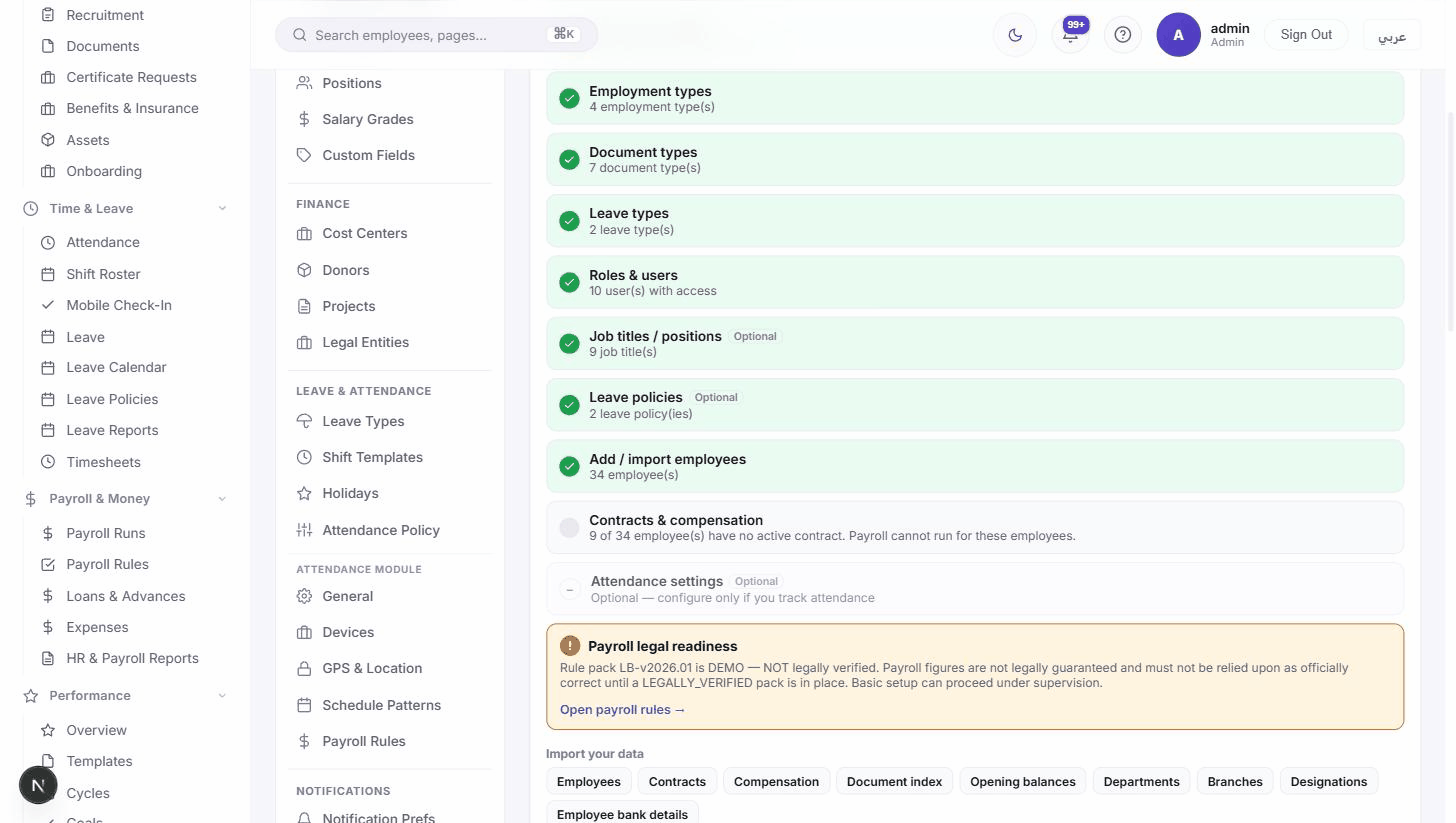 Admin — roles, permissions and organization settings. Real product, demonstration data.
See Titan HR in action
Short, real product clips — no mockups, no stock footage.
Give your HR team one system they can actually run.
A 30-minute walkthrough with your own scenarios — employees, policies, and payroll questions included.
demo request — what to expect